

Approving and submitting applications
Lead Recruiters and Additional Recruiters (Full Access)
To Approve and submit an application, click on the pink Approve button within the green box.
By selecting Approve, you are confirming that you have verified the applicant’s identity documents against the application form, using either the manual or digital ID checking routes, and that, to the best of your knowledge, there are no discrepancies or missing details.
Thirtyone:eight cannot accept responsibility for identifying such discrepancies, as we do not see the applicant’s original documents.

(If you are not already in the applicant’s details this is accessed by clicking on the applicant’s reference in the Our Ref box).
This will send the application to us and moves it into the Awaiting Authorisation box. (This box is found on your Dashboard screen).
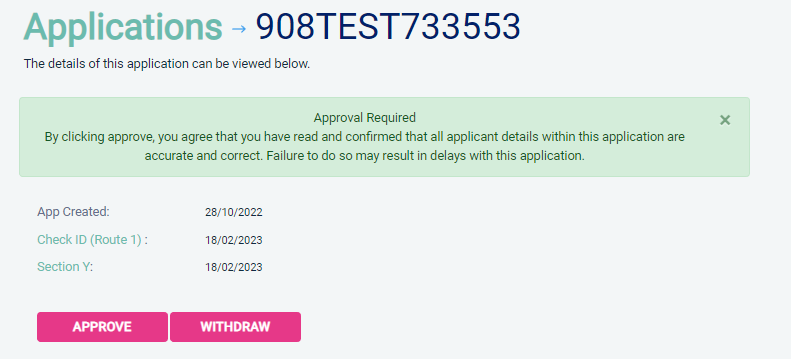
If you do not click the Approve button, the form will not be sent to us and will not progress any further.
Once a form has been countersigned by Thirtyone:eight, the application will be moved to the Transfer section. Applications at this stage are awaiting collection by the DBS. Once the DBS have collected them they will move into the processing stage.
An application form can be withdrawn at any time up to it being sent to the DBS. Once a form has been electronically transferred to the DBS, it can still be withdrawn but you will incur any DBS charges. If you wish to withdraw an application that is with the DBS, please contact Thirtyone:eight by phone immediately, to enable the process to be halted – this will incur a charge.
For any questions relating to our DBS system call our Disclosure Helpline, Mon-Fri, 9am-5pm on 0303 003 1111.
Page last updated: 28 April 2026